Banzai in Other Languages
Banzai is available to students who prefer to learn in any of twenty different languages. Students can change their language preference from their account settings.
All of our digital can be full completed in the language of the choice:
- English (US)
- Español
- Français
- 简体中文 - 普通话 (Simplified Chinese)
- Tagalog
- Tiếng Việt
- Kreyòl Ayisyen
- Português (Brasil)
- Arabic (العربية)
- Hmoob
- 한국어 (Korean)
- Русский (Russian)
- Italiano
- Soomaaliga
- Kiswahili
- नेपाली (Nepali)
- Lingála
- မြန်မာစာ (Burmese)
- 日本語 (Japanese)
- Deutsch
How Different Is the Translated Version?
Translated Banzai provides the same, scenarios, choices, and questions—just in a different language.

You can still assess the students’ progress when you log in. When you check their answers on a specific test question, you’ll see their test translated back to English.

You can also change the language in your teacher account.
How to Access the Other Languages
Students can start using Banzai in Spanish in two ways. First, when they sign up, students can select their language.
Second, if students already have an account, they can change the language after logging in. Click the student name to view account settings.

Then under Language, select the preferred language and click Save Changes.
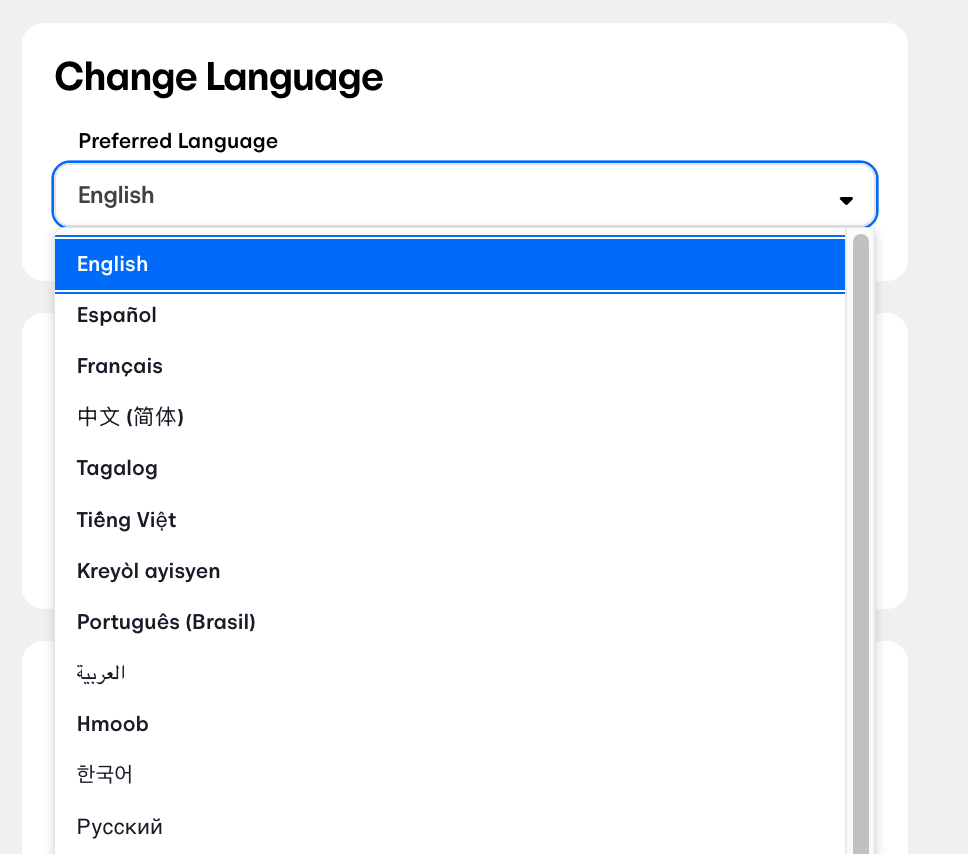

Languages can be changed at any time.
Schedule a Walk-Through
Our Teacher Support team can do a personalized, 15-minute tutorial and answer any questions you might have.